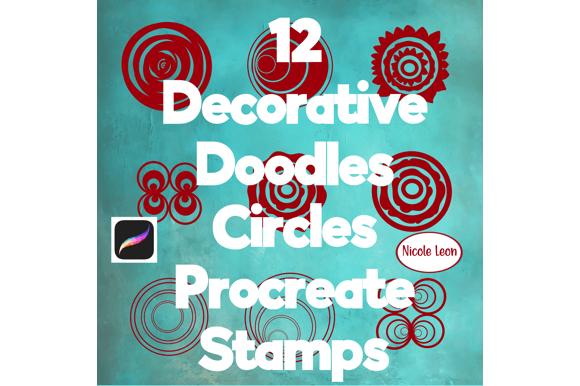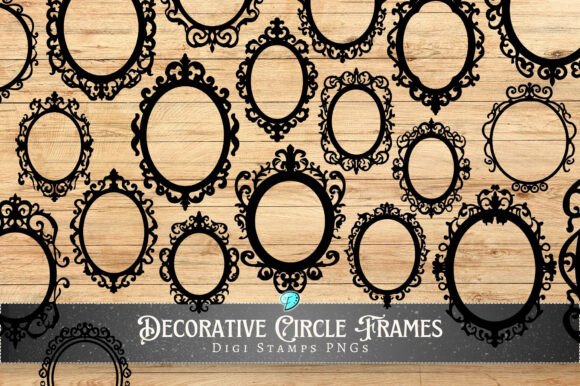
Procreate Decorative Stripes Stamps for iPad Art
Digital illustration has become more accessible than ever, thanks to powerful tools like the iPad and the Procreate app. However, even with a stylus in hand, creating consistent, crisp patterns can sometimes feel tedious. This is where Procreate Decorative Stripes Stamps come into play. These are not just simple lines; they are specialized digital brushes designed to add texture, rhythm, and professional polish to your artwork with a single tap. Whether you are a seasoned graphic designer or a hobbyist just starting your digital journey, these clean and easy-to-use stamps offer a shortcut to high-quality results without sacrificing creativity.
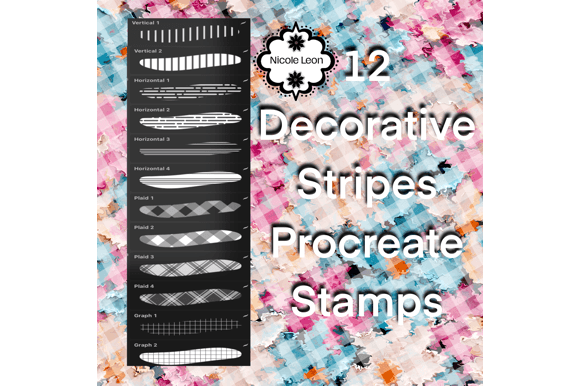
At their core, these stamps are pre-designed brush tips saved in the .brushset format. Unlike standard drawing tools that require you to drag the Apple Pencil across the screen to create a line, stamp brushes allow you to place a complete shape instantly. The "stripes" aspect refers to the specific geometric or organic linear patterns contained within each stamp. You might find sets that include bold, uniform bands, delicate pinstripes, wavy rhythmic lines, or even distressed, hand-drawn stripe textures. Because they are built specifically for the Procreate ecosystem, they integrate seamlessly with the software's engine, ensuring smooth performance and immediate responsiveness.
Why Choose Stripe Stamps for Your Digital Workflow
The primary appeal of using Procreate Decorative Stripes Stamps lies in efficiency and consistency. Imagine trying to draw fifty perfectly parallel lines by hand for a background pattern. It takes time, and maintaining equal spacing can be frustrating. With a dedicated stamp brush, you achieve that perfect repetition instantly. This is invaluable for creators who need to produce content quickly, such as social media managers designing daily stories, bloggers creating custom headers, or small business owners crafting product packaging mockups.
Beyond speed, these tools offer incredible versatility. One of the standout features of these brushes is their adaptability. You can use them in any color or opacity. This means a single stripe stamp can serve multiple purposes within one project. By lowering the opacity, you can create subtle watermarks or soft background textures that don't overpower your main subject. By switching to a vibrant hue and full opacity, the same tool becomes a bold graphic element for posters or album covers. This flexibility reduces the need to clutter your library with dozens of different brushes; instead, you master a few high-quality tools that bend to your will.
Practical Applications Across Different Fields
The utility of these decorative stamps extends far beyond simple doodling. For entrepreneurs and marketers, they are excellent for branding. Consistent striping can become part of a visual identity, used on business cards, invoice templates, or promotional flyers. A freelancer offering stationery design services can use these stamps to create custom washi tape designs or planner inserts, which are highly popular in the digital planning community.
In an educational context, teachers creating digital worksheets or presentation slides can use stripe stamps to organize information cleanly. They act as elegant dividers between sections, making content easier to read and more visually engaging for students. For bloggers and content creators, adding a unique striped border or a textured background element can make a generic photo stand out in a crowded social media feed.
Even for pure artists, these tools solve specific problems. When working on lettering projects, stripe stamps can be used to create dynamic backgrounds that add depth without distracting from the text. In fashion illustration, they can simulate fabric patterns like pinstripes or seersucker, adding realism to clothing sketches without the need to paint every thread manually.
Important Considerations Before You Begin
Before diving in, it is crucial to understand the technical requirements to ensure these tools work for you. First and foremost, please note that this product is ONLY compatible with the Procreate App. These files will not open in Photoshop, Illustrator, or other drawing software. They are engineered to leverage Procreate's specific brush engine on the iPad. Additionally, you will need an iPad equipped with an Apple Pencil (or a compatible stylus) to get the most out of the pressure-sensitive features, although the stamps themselves work via tapping.
Another key detail is the file format. These assets arrive inside a .brushset file. This is a proprietary container that holds all the individual brushes in the collection. If you attempt to unzip or modify this file outside of the Procreate environment, it may corrupt the data. Treat the downloaded file as a direct key to your brush library; its only destination should be the Procreate app.
How to Install and Use Your New Brushes
Getting started is straightforward, but following the correct steps ensures a smooth installation process. Here is exactly how to get your Procreate Decorative Stripes Stamps up and running:
- Purchase and Confirmation: After the purchase payment confirmation, you will receive an automated email containing your secure download link. Check your spam folder if you don't see it within a few minutes.
- Download the Files: Click the link in the email on your iPad. The
.brushsetfile will download to your "Files" app or directly to your browser's downloads list. - Import to Procreate: Open the Procreate app. Tap on the "Brushes" icon (the paintbrush symbol) to open the Brush Library. At the very top of the library panel, tap the + sign or simply tap the downloaded
.brushsetfile from your Files app while Procreate is open. The app will automatically import the entire set as a new folder.
Once imported, you will find a new category in your brush library containing all your stripe variations. To use them, simply select a brush, choose your desired color from the palette, and adjust the size slider. Then, tap anywhere on your canvas. The stamp will appear instantly. You can rotate the stamp by twisting the Apple Pencil (if your model supports rotation) or by adjusting the angle settings in the brush studio for more precise control.
Maximizing Value Through Experimentation
The true power of these clean and easy-to-use stamps emerges when you experiment with layer blending modes. Try placing a stripe stamp on a new layer above your artwork and changing the blend mode to "Multiply" for a shadow effect or "Overlay" to integrate the texture with the colors beneath it. Because the strokes are vector-like in their crispness, they scale beautifully without losing quality, making them suitable for both small icons and large-format prints.
Remember, digital art is about iteration. Don't be afraid to stack multiple stripe stamps with different opacities and colors to create complex, woven patterns that look like they took hours to design. Whether you are building a brand, teaching a class, or just relaxing with a digital sketchbook, Procreate Decorative Stripes Stamps provide a reliable, professional foundation for your creative ideas. They bridge the gap between manual effort and digital precision, allowing you to focus more on the art and less on the mechanics of drawing straight lines.